Production & Inventory Reports
Query, analyze, and export data across every module. 260+ reports and real-time dashboards built for plant and DC operations.
Full Report Library
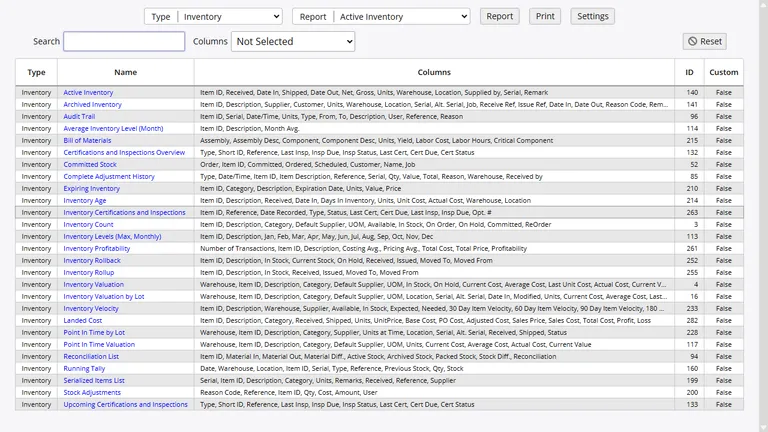
InventoryPro ships with over 260 reports organized by function: inventory, purchasing, shipping, receiving, assets, warehouses, customers, suppliers, and administration. Every report supports on-screen viewing, direct print, and Excel CSV export.
- Built-in search, column sorting, and filtering
- Report access controlled via permissions system
- Excel/CSV export for all report types
Real-Time Dashboards
Dashboards pull key metrics from across the system into one view. Charts, graphs, lists, and summaries update in real time as transactions post.
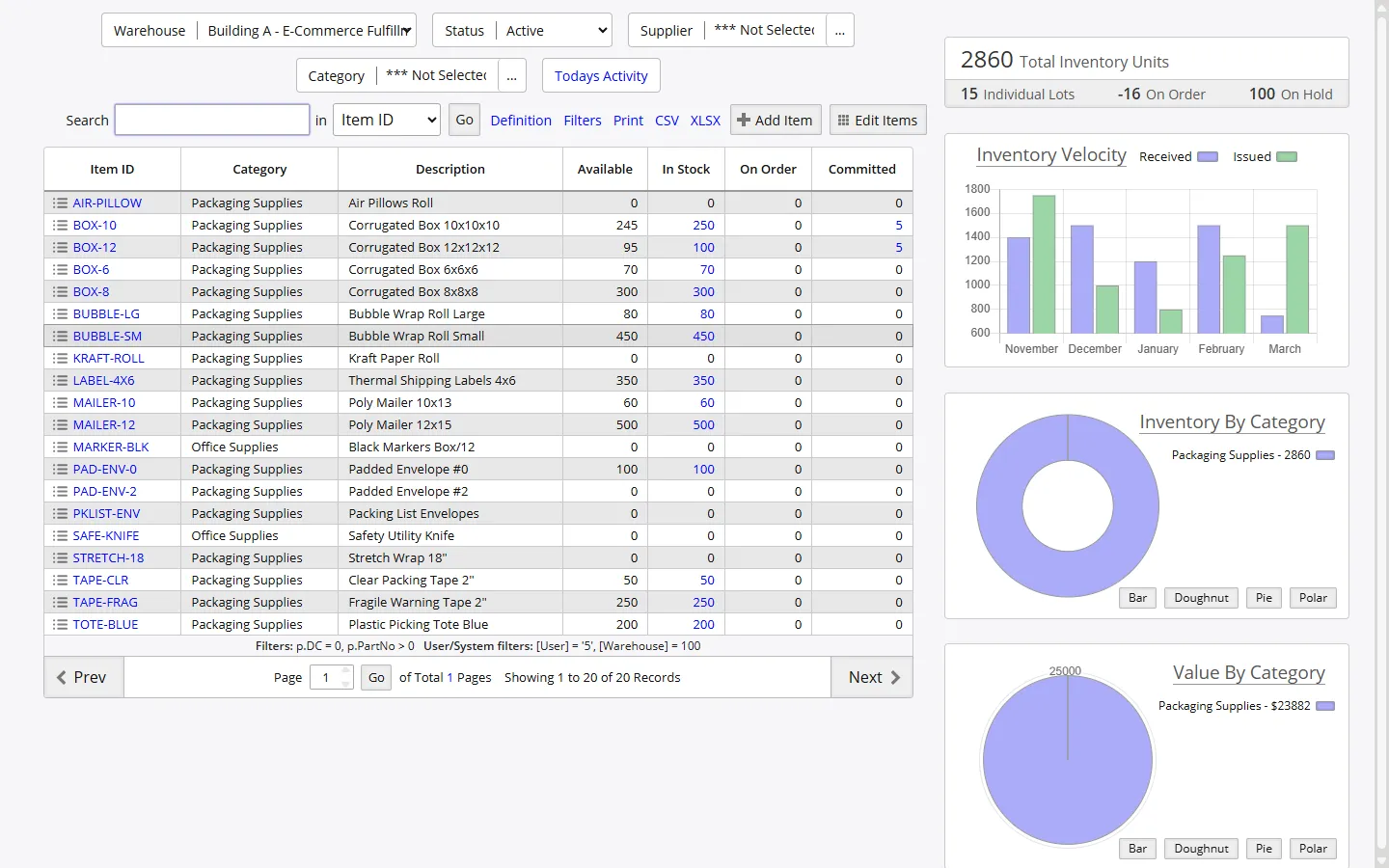
See top-moving items, low-stock alerts, pending orders, recent receiving activity, and fulfillment throughput at a glance. Plant managers and DC leaders spot bottlenecks before they affect production schedules.
Report Categories
Reports are grouped by function so each team pulls the data they need.
Inventory Reports
Valuation, allocation, rollback to any date, landed cost analysis, and item-level transaction history.
Order Reports
Purchase order status, shipping order fulfillment, work order progress, and backorder tracking.
Asset Reports
Asset inventory, depreciation schedules, maintenance history, and assignment tracking.
Warehouse Reports
Location utilization, inter-warehouse transfers, receiving and shipping activity by facility.
Financial Reports
Point-in-time valuation, cost analysis, supplier pricing, and customer billing summaries.
Audit and Compliance
Transaction audit trails, user activity logs, cycle count variance reports, and change tracking.
Audit Trail and Change Tracking
Every transaction is recorded with a timestamp, the responsible user, a reason code, reference number, and full line-item detail. The audit trail gives you a sequential record of all inventory movements, order changes, and admin actions. Rollback reports reconstruct stock positions at any historical date for year-end valuations and compliance reviews.
Change tracking covers item record edits, cost adjustments, and config changes. For manufacturers in regulated industries, this documentation demonstrates accountability and control over inventory processes.
Custom and Configurable Reports
Beyond the standard library, InventoryPro lets you build site-specific reports. Copy an existing report and modify columns, widths, filters, and sorting to match your operation. Custom reports are flagged to survive system updates.
Report definitions use SQL queries with substitution values for the current user's warehouse, customer, vendor, and date context. URL links inside reports enable drill-down to related records. Our team also builds specialized reports for clients whose needs go beyond the standard config tools.
Automated Alerts and Notifications
The alerts system watches for conditions you define — low stock, order status changes, receiving confirmations, expiration warnings — and sends email notifications to the right people. Scheduled report distribution puts recurring data in your inbox without manual effort.
For manufacturers running large catalogs or multi-plant operations, automated alerts cut monitoring overhead and make sure critical events get attention fast. Thresholds and notification rules are adjusted through the admin interface as production needs change.
Data That Drives Decisions on the Floor
Tell us what you need to measure. We will walk through the reporting engine and show how it maps to your production KPIs.